
Are you wondering how to delete stickers on iPhone? if so, you have come to the right place. Here you will be shown how to add and delete stickers on your iPhone. I hope that after reading this Guide article today, you will have a very good understanding about iPhone stickers.
Table of Contents
What is a Sticker
In the real world, a sticker is an object that sticks to something. But in the internet world, it is a digital image that is used in messages on social media to express one’s feelings. Many people create it themselves, while others use what is available on the internet.
How to Delete Stickers on iPhone
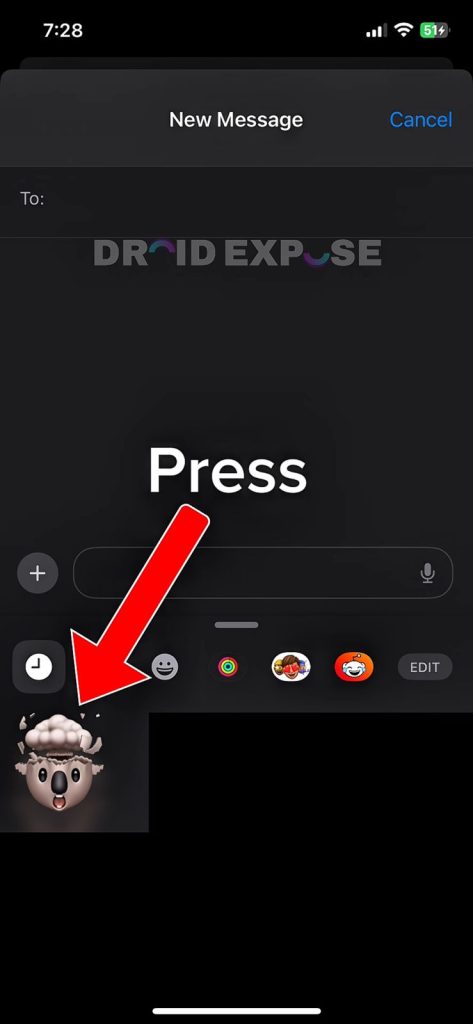
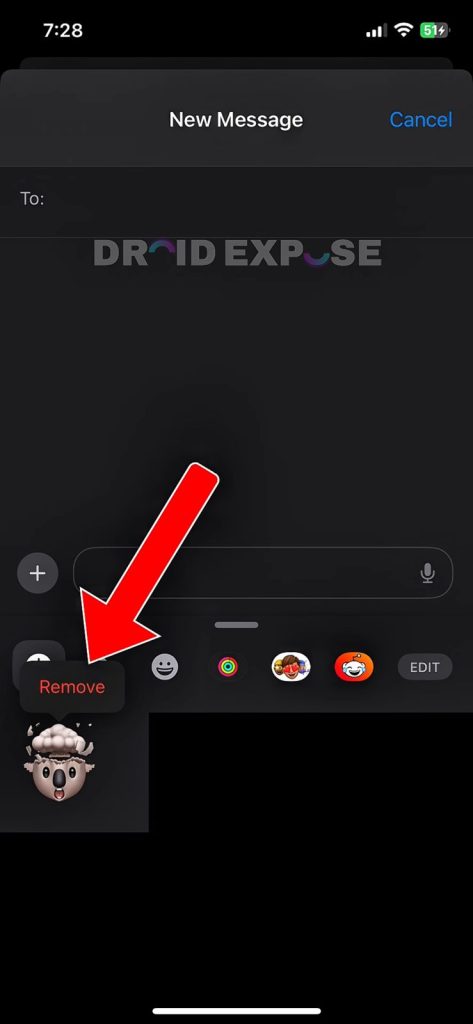
I know that you’re here to learn how to delete a sticker you’ve created on your iPhone. It’s not difficult, and if you follow these few steps, you can easily remove any sticker from your iPhone.
- Step 1: Go to “Messages”.
- Step 2: Click on the icon in the top right corner.
- Step 3: Click on the plus icon “+”.
- Step 4: Choose the “Sticker” option.
- Step 5: Press the sticker you want to delete.
- Step 6: Tap “Remove”.
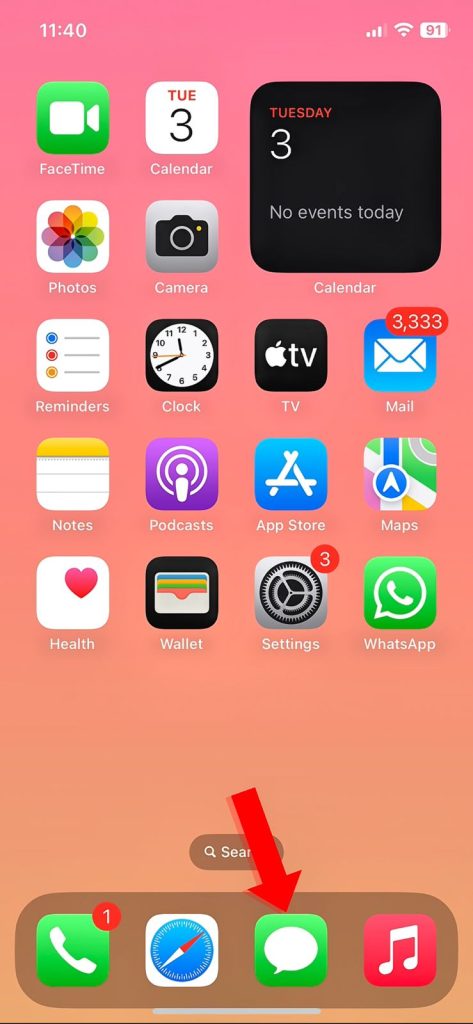
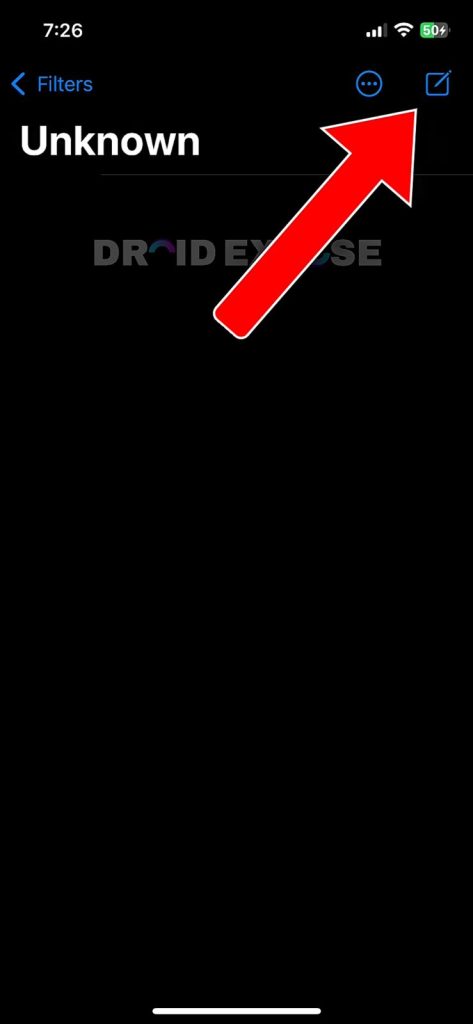
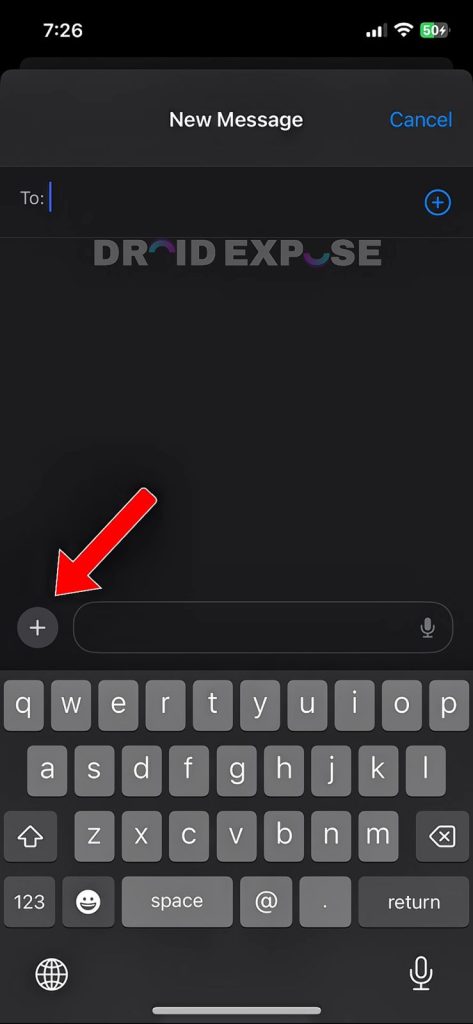
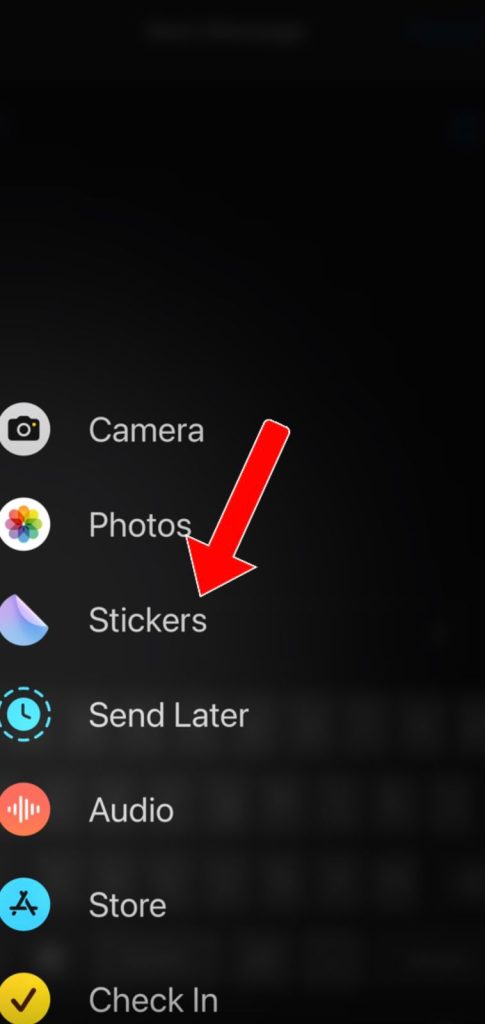
How to Permanently Hide the Sticker Option on iPhone
Not a fan of stickers? You can clean up your emoji keyboard by disabling them in your system settings.
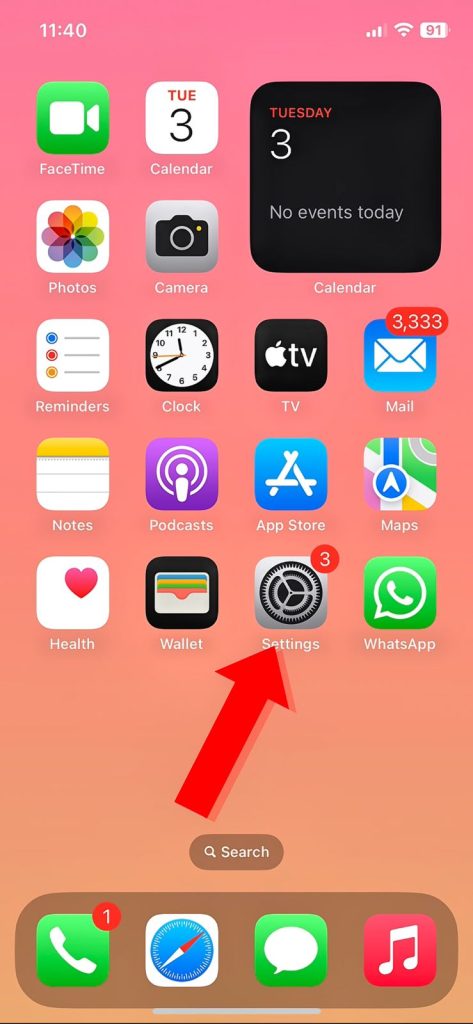
- Step 1: Go to “Settings”
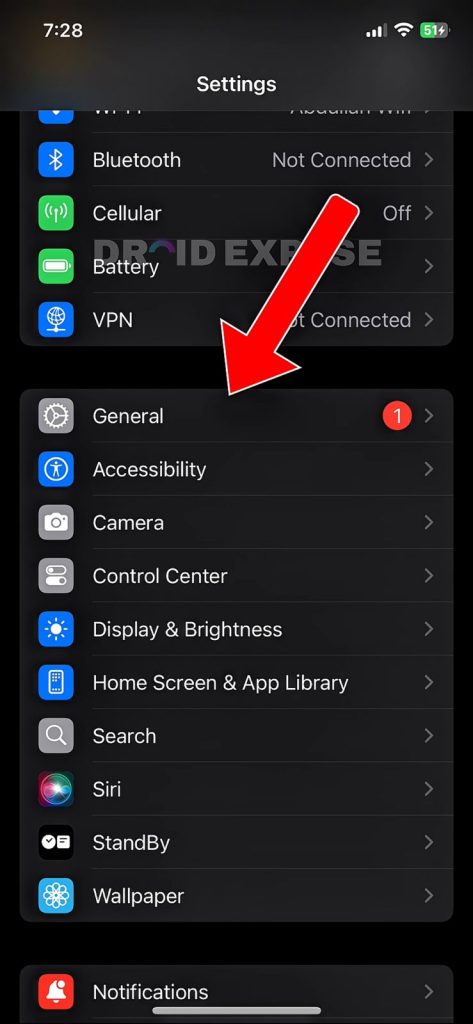
- Step 2: Tap on “General“
- Step 3: Click “Keyboard”
- Step 4: Scroll down, then turn off “Stickers“
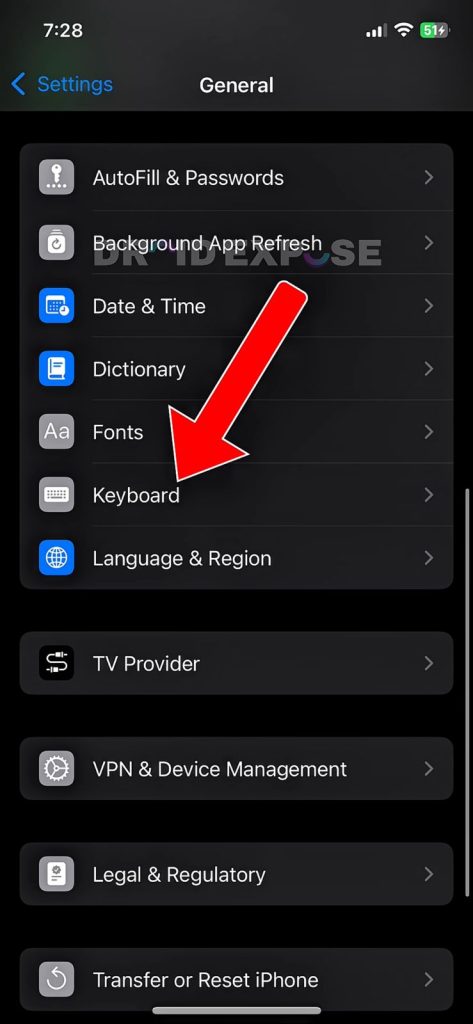
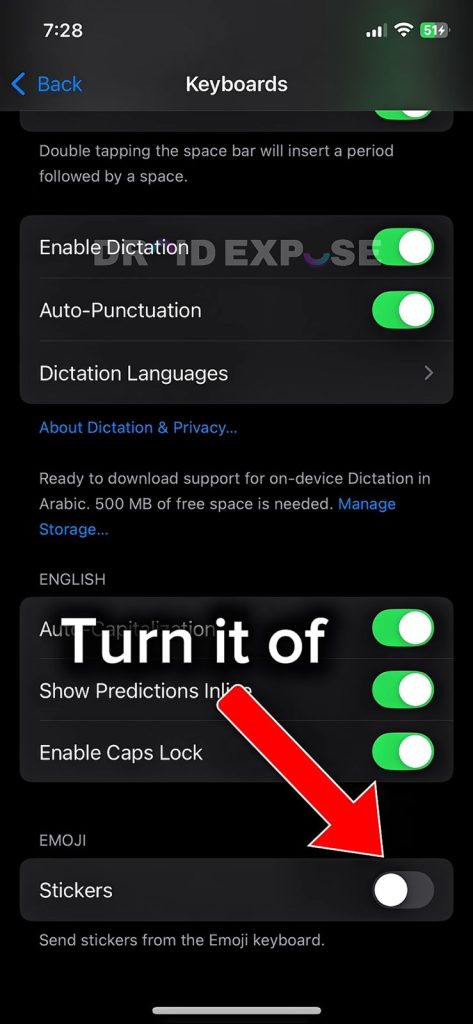
After turning it off, the sticker feature will be disabled.
How to Create Sticker in iPhone
I know many people don’t like stickers, but many people love using them to express themselves. They are used for fun, to create memories, and for other reasons. If you want to create stickers, then follow these few steps to make them.
- Step1: Go to “Photos”
- Step 2: Press on the “Image”
- Step 3: Tap on “Add Stickers”
If you are still unsure of the process, watch the video below for a better experience:
Also Read: How to Recover Your WiFi Password if You’ve Forgotten It
Conclusion
Managing Stickers on your iPhone is now easier than ever. From custom cuts to permanently disabling stickers, it’s all in your hands now. Make your own choice and make yourself happy.
How can I Delete Stickers from my iPhone?
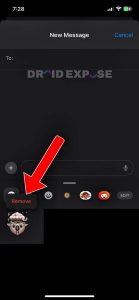
Go to “Messages”. > Click on the icon in the top right corner. > Click on the plus icon “+”. > Choose the “Sticker” option. > Press the sticker you want to delete. > Tap “Remove”.